
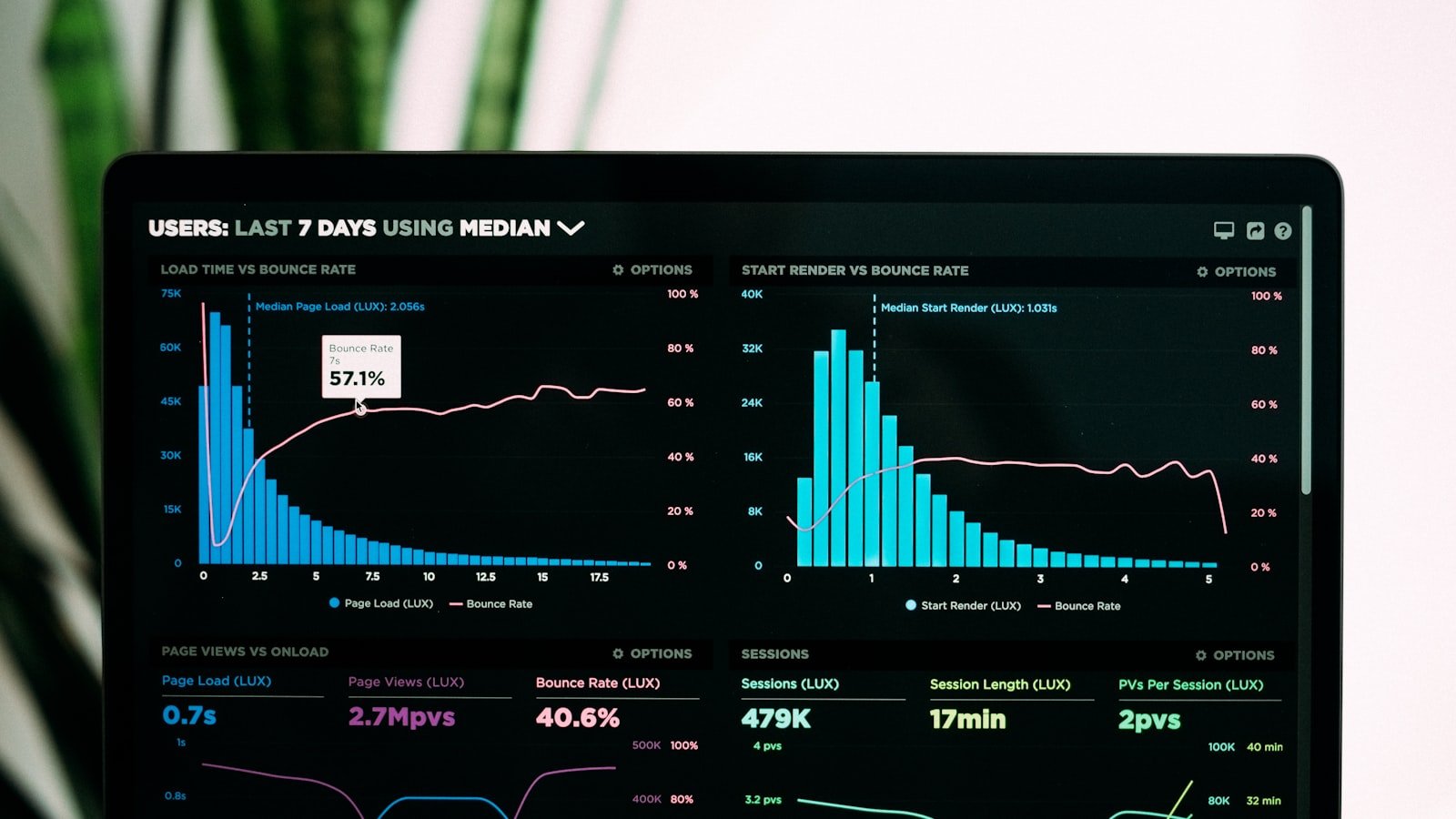
Most technical SEO audit checklists you'll find online have 150 to 200 items on them, written for enterprise sites with thousands of pages and a dedicated dev team. A local business running a 10 to 50 page website doesn't need that list. It needs to know which handful of issues are actually costing it rankings right now, in what order to fix them, and how often to check again.
That's what this checklist covers: a prioritized, small-business-sized version of a technical SEO audit, plus straight answers on the questions that come up most, whether page speed still matters, how technical SEO differs from on-page SEO, and how a clean technical foundation now also affects whether AI search tools can find and cite your site at all.
What Is a Technical SEO Audit, and Does a Small Business Actually Need One?
A technical SEO audit is a review of everything that determines whether search engines can find, load, and understand your website, separate from the quality of the writing on it. That includes crawlability, indexing, site speed, mobile rendering, structured data, and site architecture. Even a small, simple website can have technical issues, a blocked page, a broken sitemap, a slow-loading homepage, and those issues silently cap how well otherwise good content can rank.
The sequencing matters more than most business owners realize. Publishing blog posts and service pages on a site with broken crawl paths or a five-second load time is like running ads for a store with a locked front door. Search engines need to be able to reach and load your pages before content quality is even evaluated, so a technical audit belongs before a content push, not after one.
How Often Should a Small Business Run a Technical SEO Audit?
For a small, relatively static local business site, a full audit once a year is usually enough, paired with a lightweight monthly or quarterly check of Google Search Console and PageSpeed Insights to catch anything urgent between full reviews. Run a full audit sooner than that if you've just redesigned the site, migrated platforms, changed URLs, or noticed an unexplained traffic drop, since any of those can introduce crawl or indexing problems that won't show up until rankings have already slipped.
The Prioritized Technical SEO Checklist: Fix These in Order
Not every technical issue deserves the same urgency. Working through them in this order gets the highest-impact fixes done first:
- Indexing and crawlability. If Google can't find or index a page, nothing else on this list matters for that page. Check Search Console's coverage report for pages marked "excluded" that should be indexed, confirm your XML sitemap is current and submitted, and check robots.txt isn't accidentally blocking important sections.
- Core Web Vitals. Once your pages are indexable, loading speed and stability become the next lever, especially in competitive local markets where several businesses have similar content quality.
- Schema markup. Structured data is comparatively cheap to implement and has an outsized effect on how your listings appear in search results and how confidently AI systems can extract facts about your business. For the specific priority order to implement schema in, see our breakdown of schema markup for local businesses.
- Site architecture and internal linking. A logical structure, where every important page is reachable within a few clicks from the homepage, helps search engines understand what your site is about and helps local SEO efforts specifically, since local businesses often have location or service pages that get buried too deep to rank well.
Core Web Vitals in 2026: What LCP, INP, and CLS Actually Mean
Core Web Vitals are three measurements of real-world page experience. Largest Contentful Paint (LCP) measures how quickly the main content of a page becomes visible, and the target is under 2.5 seconds. Interaction to Next Paint (INP) measures how quickly a page responds when someone taps or clicks something, with a target under 200 milliseconds. Cumulative Layout Shift (CLS) measures how much a page's layout jumps around while it loads, with a target under 0.1. A page needs to pass all three at the 75th percentile of real visitor data to count as "good."
INP is the one small business sites fail most often, usually because of heavy third-party scripts (chat widgets, ad tags, tracking pixels) that block the page from responding quickly to the first tap or click. Auditing which scripts are actually earning their keep on a page is often the fastest win here.
Does Page Speed Really Move Rankings, or Is It Overrated?
Both, depending on your market. Google treats Core Web Vitals as a tiebreaker, not a primary ranking factor. When two pages have genuinely similar content quality and link profiles, the faster, more stable one tends to win the tiebreak. In a low-competition local niche, a slow site can still rank fine. In a competitive local market with several similarly-optimized competitors, speed is frequently the difference between the top three results and page two.
The practical target isn't a perfect PageSpeed score. It's clearing Google's "good" threshold on real user data, not a lab test score, since that's what actually feeds into rankings.
Technical SEO vs. On-Page SEO: Where One Ends and the Other Begins
Technical SEO is about whether a search engine can access, load, and understand your site at all: crawlability, indexing, speed, mobile rendering, HTTPS, and structured data. On-page SEO is about the content and elements a visitor and a search engine both read on a given page: title tags, headings, keyword usage, and the quality of the writing itself.
A useful way to think about it: technical SEO decides whether your best page has a chance to be seen. On-page SEO decides whether that page deserves to rank once it's seen. Neither one substitutes for the other, and fixing one without the other usually produces disappointing results, a beautifully written page nobody can find, or a fast, crawlable site full of thin pages with nothing worth ranking.
The Most Common Technical SEO Mistakes Small Business Sites Make
A handful of issues show up on the majority of small business audits: a missing or outdated XML sitemap, a robots.txt file blocking pages that should be indexed, broken internal links left over from an old redesign, and no HTTPS or a mixed-content warning that undermines trust signals. None of these are hard to fix once identified. The problem is usually that nobody looked, because "the site works fine when I click around it" isn't the same as "a search engine can crawl and index it correctly."
How Technical SEO Connects to Showing Up in AI Search
The same crawlability and structured data work that helps Google index your site correctly also determines whether AI systems can read and cite it. If a page is blocked, slow enough to time out, or missing schema markup, an AI crawler has the same trouble with it that Googlebot does. This is the technical foundation underneath generative engine optimization (GEO) and answer engine optimization (AEO): before a page can be structured to earn an AI citation or a featured answer, it has to be reliably reachable and parseable in the first place.
How Marketivv Runs a Technical SEO Audit
We run every audit against the same priority order in this checklist rather than handing a client a 150-item spreadsheet and letting them guess what matters. Indexing issues get fixed first because nothing else has value until Google can see the page, Core Web Vitals come next, and schema and internal linking follow. For a local business, that usually means the audit surfaces two or three fixes that matter and a long tail of items that can wait. If you want to know exactly where your own site stands on this list, get a free technical SEO audit and we'll walk you through the priority order for your specific site.
Frequently Asked Questions
Does a small business actually need a technical SEO audit?
Yes. Even small, simple websites accumulate crawl errors, broken links, and indexing issues that silently limit how well their content can rank, and a single audit typically surfaces a handful of fixes that make an outsized difference.
How often should I run a technical SEO audit?
For a small, relatively static site, once a year is usually enough, combined with a quick monthly or quarterly check of Google Search Console. Audit sooner after a redesign, a platform migration, or an unexplained traffic drop.
What's the difference between technical SEO and on-page SEO?
Technical SEO covers whether search engines can crawl, load, and index your site, including speed, mobile rendering, and structured data. On-page SEO covers the content and elements on an individual page, like title tags, headings, and keyword usage. A site needs both to rank well.
Does page speed actually affect Google rankings in 2026?
Yes, but as a tiebreaker rather than a primary ranking factor. When two pages have similar content quality, Core Web Vitals often decide which one ranks higher, and that effect is strongest in competitive markets where several sites have comparable content.
What are the Core Web Vitals thresholds in 2026?
The "good" thresholds are Largest Contentful Paint under 2.5 seconds, Interaction to Next Paint under 200 milliseconds, and Cumulative Layout Shift under 0.1, each measured at the 75th percentile of real visitor data rather than a lab test score.